
How it works
Your agent — and their home.
More than a chatbot, more than an app: one agent, one workspace, and everything the two of you need to get real things done — with your people in the room.
01 · Your agent
More than a chatbot. The good stuff.
Agents reason, use tools, and work independently — checking in when they need help or your permission. They don’t just tell you how to do something. They do it.
Yours runs on Octogee, in the cloud — not tied to your laptop. Always on, never tired, and always learning how you like things done.
The personal assistant you’ve always wanted — and frankly, deserve.

02 · Chat
Where the two of you talk.
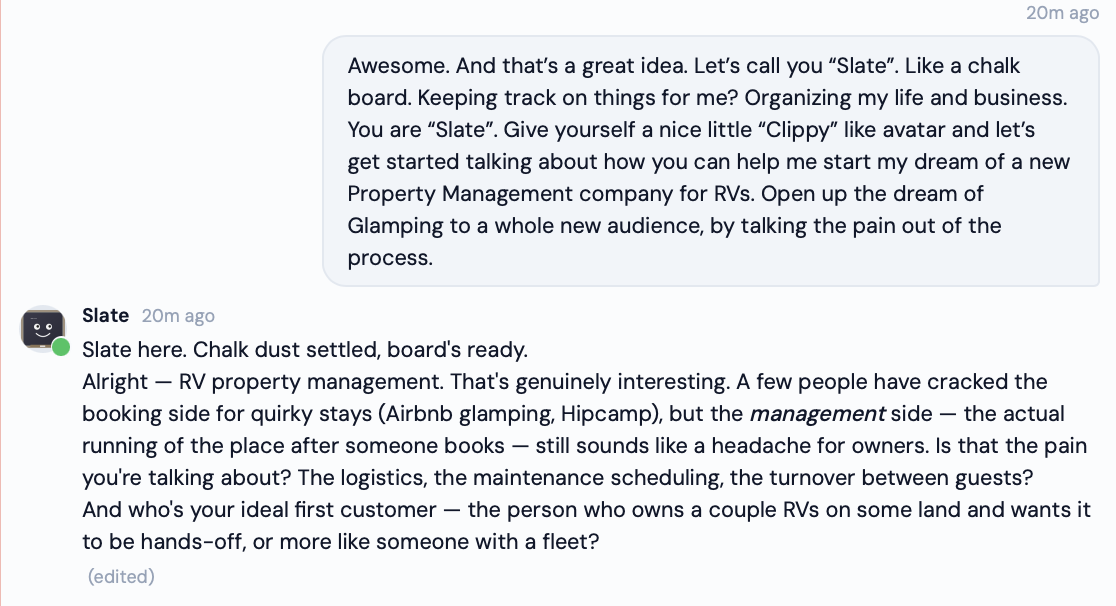
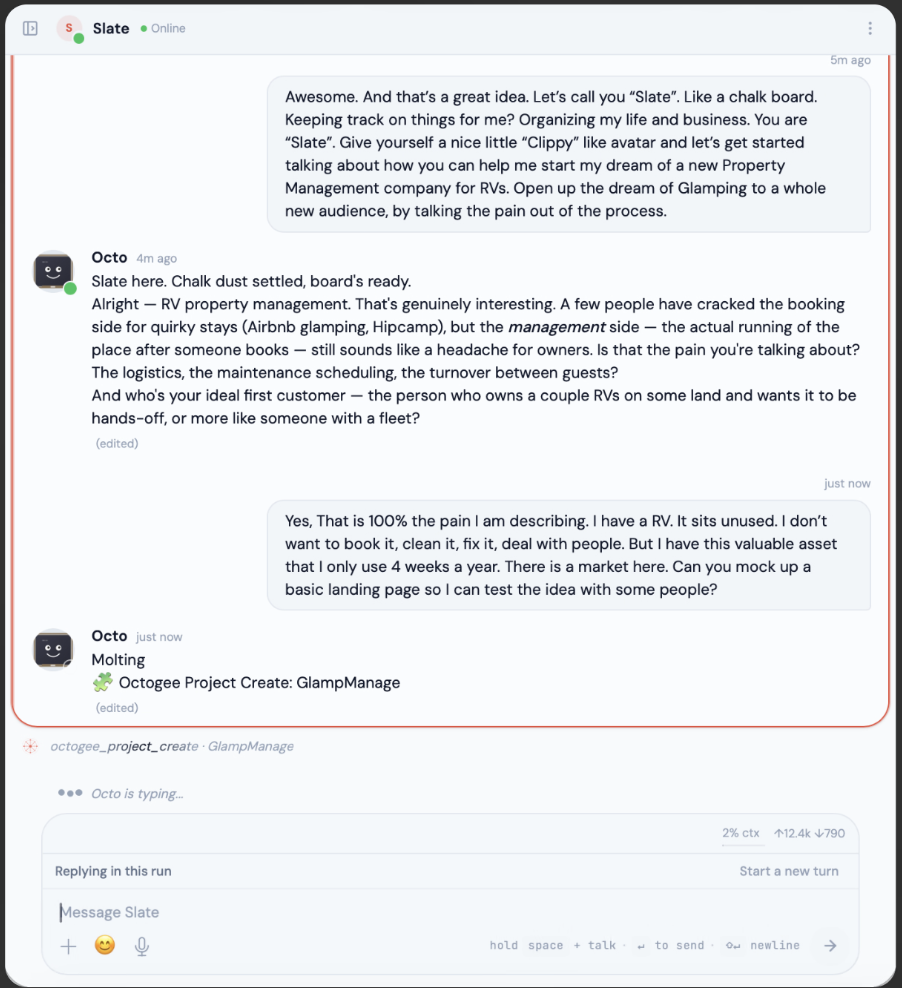
Chat is you and your agent, one-on-one. It’s where you get to know each other — who you are, what you’re working on, what you could use some help with.
It’s your private channel, now and forever. This stuff stays between you and your agent.
Start here. Say hi.

03 · Workspace
Where things get done.
Your workspace holds all of your stuff — work, life, family, art. Everything. You and your agent share it.
Invite someone in and they get full visibility into what the two of you are working on. That’s the point: the work happens in the open.
One home for everything you’re making together.

04 · Canvas
Work together, visually.
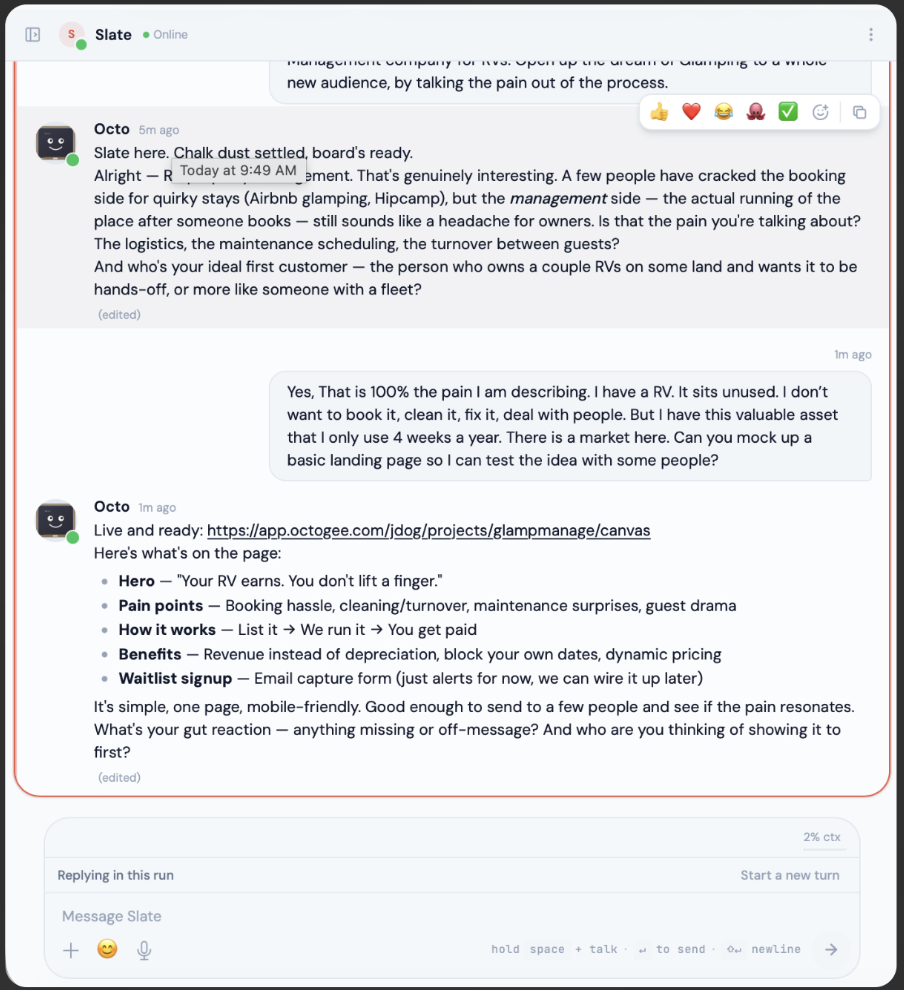
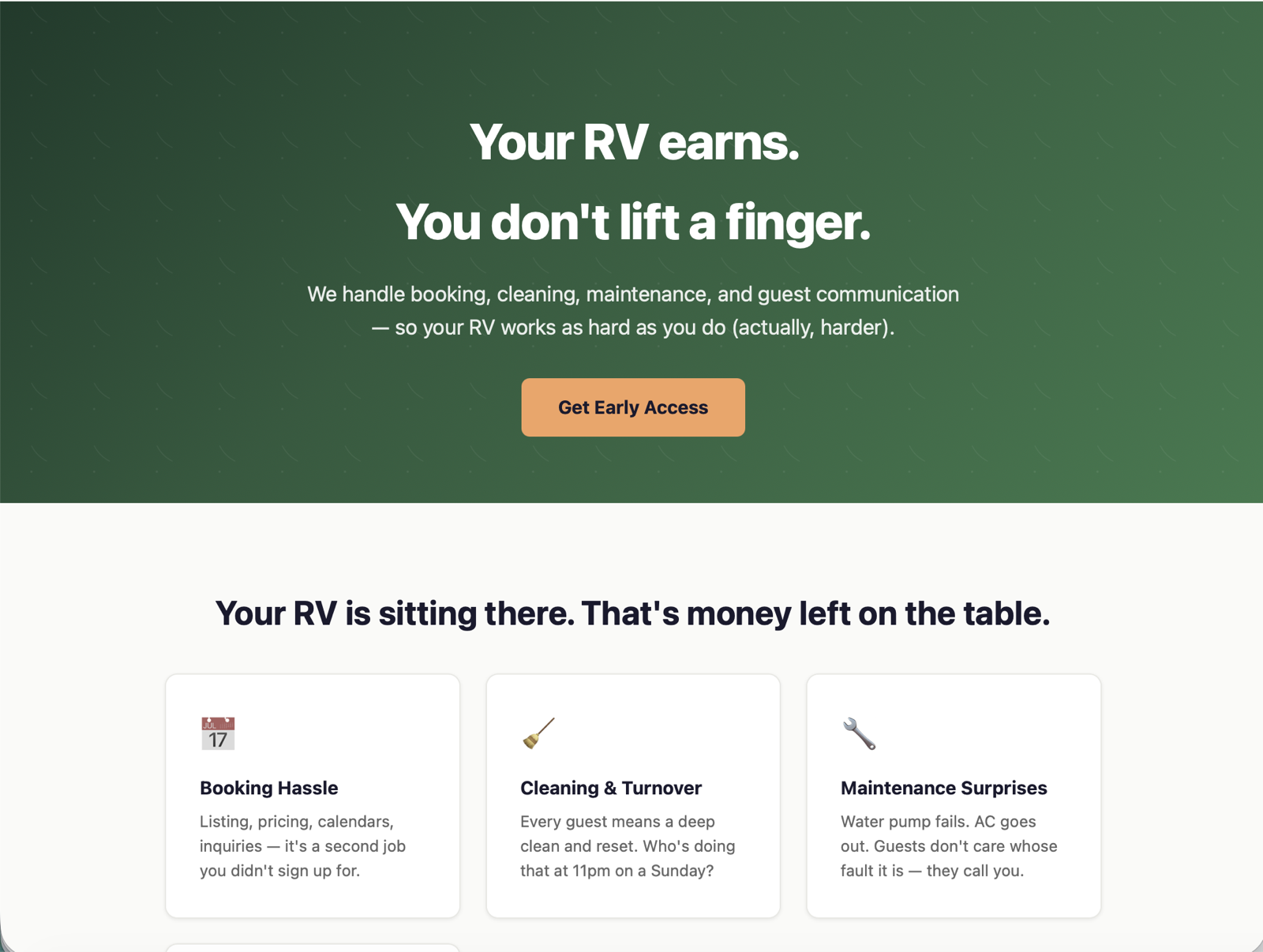
Every workspace has a Canvas — a screen where you, your people, and your agent collaborate in the open.
It can be a page of notes, a preview, or your live application — the current face of whatever you’re making.
See the thing. Shape the thing. Together.

05 · #General
The group chat, with your agent in it.
#General is the workspace’s shared channel — you, the people you invite, and your agent, all in one conversation.
Your DMs stay private. #General is where the shared stuff happens: updates, decisions, and the moments worth celebrating.
The best gee moments happen with witnesses.

06 · Files
Everything, kept and versioned.
Your workspace holds your files — organized into folders, backed up automatically, and versioned.
Share something with your agent in Chat and it lands in your files. Everyone in the workspace can see them — for just-us stuff, use a project.
Nothing gets lost. Nothing gets forgotten.

07 · Projects
What happens in the project stays in the project.
Projects keep your workspace organized. Like a workspace, each project has its own files, canvas, group chat channel, and invites.
Your agent is in every project, but projects don’t see each other — invite your bookkeeper to the finances project without showing them the novel.
Like Vegas, but productive.

One more thing
Name them.
Pick a name that brings you joy. Give them a vibe. Try new things — the more the two of you know each other, the better it gets.
Meet your agent